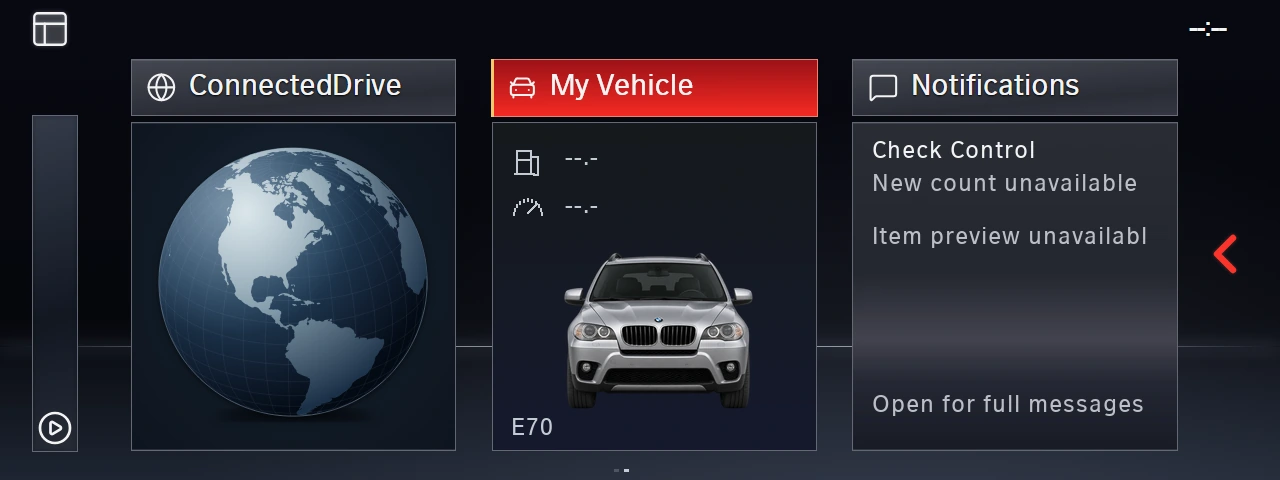
Explore the full interface.
Tour the menus, Sport displays, Diagnostics and Logging, then see the latest navigation, FSC, region and coding Settings previews. Choose your static splash screen.
A fresh EVO-style interface for your E-series BMW with CIC. Redesigned menus, configurable Sport displays, Diagnostics, and Logging, with the latest Settings previews for navigation, FSC activation, region switching and common coding options.
Navigation. FSC. Regions. Settings. Sport displays. Diagnostics. Logging.
A full interface package, personalized for your BMW.
FSC code activation, navigation and region switching join everyday vehicle coding options in the redesigned Settings UI.
These are new development screens. Available functions depend on your vehicle, software and equipment; FSC activation requires valid matching entitlements. Vehicle testing and release integration are pending. Navigation maps are installed separately.
Explore all 9 new Settings screensStart with the original BMW interface, then explore your artwork choices, the EVO-style menus, independent gauges, Diagnostics, and Logging. A narrated 5:02 tour with English captions. The newer FSC, region and coding screens are shown above; they were added after this recording.
The original CIC menu and radio pictures are genuine BMW-authored images from the BMW Car Information Computer technical training manual, PDF pages 36 and 49. The original splash is verified against the supplied CIC firmware artwork. BMW AG retains ownership of its source material; JSR is independent.
This is a rendered product demonstration. The EVO/menu compositions and controlled Diagnostics/Logging states illustrate the interface; the video does not establish a live installation, ECU reading, logging session, or fault clear. Final supported features and installation are reviewed for each vehicle.
The November 11 Settings preview uses the native development renderer with simulated vehicle responses. The separate FSC component and coding extension still require qualification and integration into the vehicle-specific release. FSC files must match valid entitlements; navigation map installation is separate.
JSR Automotive branding is optional: keep BMW styling, choose an included theme, or supply your own image or business logo.
Read the source and production notesExamples show the current CIC / E70 development build. Vehicle data, available features, native operation, and delivery are confirmed for each configuration. Current release: E-series CIC. F-series CIC and NBT / NBT EVO are coming soon.
The new UI is the upgrade.
Choose a static splash screen to make it yours.
For E-series BMWs with CIC. F-series CIC and NBT are coming soon. Retrofitted CIC? Tell us after your VIN search.
JSR branding is optional. Keep BMW styling, choose an included theme, or use your own image or business logo.
The finishing touch to your complete interface upgrade.
Static splash screens for the E-series CIC package. F-series CIC and NBT support are coming soon.
The $150 product is the full JSR interface upgrade. Supported features, data sources, and installation are confirmed for your vehicle and head unit. No extra hardware is required. Installation uses a USB drive and your existing iDrive system.
Tour the menus, Sport displays, Diagnostics and Logging, then see the latest navigation, FSC, region and coding Settings previews. Choose your static splash screen.
Add your full VIN and iDrive system so we can review the matching UI package and supported features.
Receive your vehicle-matched package and follow the supplied USB installation instructions. Use your existing iDrive system. No extra hardware required.
Still have a question? We’re here to help.
No. For supported vehicles, installation uses a USB drive and your BMW’s existing iDrive system. No extra modules, replacement screen, or additional wiring are required. We confirm the correct package for your VIN and head unit before delivery.